
It is impossible to score 100% on an automated accessibility scanner and guarantee your website is actually accessible.
Regardless of how many code-checking tools, DOM sniffers, or headless browsers you throw at a digital estate, automated engines will never capture every accessibility barrier. Human experience is simply too nuanced, and cognitive friction is too subjective, for a script to evaluate.
However, automation is far from useless. What these tools excel at is highlighting structural rot—the underlying semantic bugs and missing attributes that modern, highly forgiving browsers and screen readers might currently gloss over. These are hidden technical debts that might not break a user journey today, but act as ticking time bombs for future browser updates or newly released assistive technologies.
But finding those hidden technical flaws is only half the job.
The Outcomes-Based Approach
An accessibility audit should help a team act. The goal is not simply to log issues, but to explain what matters, why it matters, and exactly how to improve it. WCAG 2.2 AA is an aspiration, not an immediate pass/fail cliff edge.
The true purpose of an audit is to honestly assess your current state, outline actionable ways forward, and document that ongoing journey transparently. Accessibility work is most useful when it helps your team make better product decisions—not when it simply produces a long list of defects.
Bridging the Empathy Gap with Visual Evidence
While systemic automation is incredibly powerful for crushing massive backlogs and identifying shared component flaws, manual verification is absolutely essential to bridge the gap between “technically compliant” and “actually usable”.
When auditing a platform, the best approach is to drop in just like a real user would: no instruction manuals, no prior knowledge, just an interface and a goal. Real-world accessibility requires hands-on exploration using screen readers, keyboard navigation, and zoom functions.
By layering automated data with visual and experiential artifacts, we can translate dense code errors into visible human barriers for development teams:
- Virtual Screenreader Logs: While capturing absolutely everything in the DOM isn’t identical to a realistic user listening experience, this visual text stream immediately exposes glaring semantic errors like garbled announcements, repeated text, or entirely missing image labels.
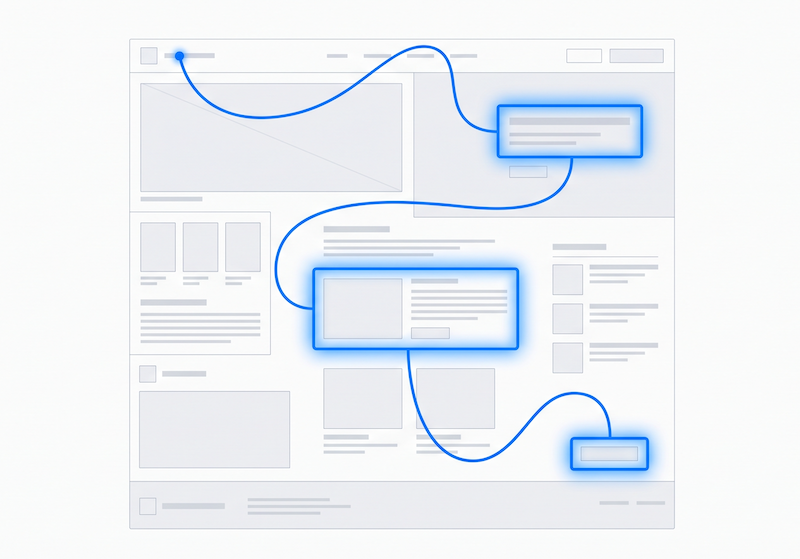
- Keyboard Tab-Mapping: Programmatic maps provide immediate visual cues for focus order. They are invaluable for spotting illogical jumps or focus traps before manual testing begins—especially when verifying tricky interactive behaviors within modal dialogs.
- Color Vision Deficiency (CVD) Simulation: This tool visually strips away reliance on color, proving instantly to a design team why color-only indicators fail users with colorblindness.
- Visual Contrast Checking: Visual contrast logs isolate failing text pairings, bringing the focus directly to real-world readability rather than raw CSS hex codes.
We cannot automate our way to empathy. By combining systemic automated extraction with deep manual user journey testing, we stop chasing a mythical 100% automated score, and start delivering developer-ready fixes that actually improve the human experience.